iPhone Unlocking Problem Solved - Regain Access iPhone

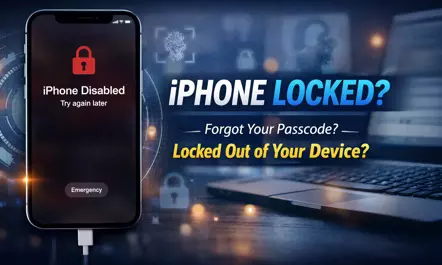
Locked out of your iPhone due to a forgotten password or activation lock? Learn why iPhones get disabled and how FoneTool Unlocker helps you safely unlock your device and regain access in minutes.
A lot of people have had this happen to them: You go to unlock your iPhone and for whatever reason, it isn't recognizing your password, fingerprint, or facial recognition, and all of a sudden, there’s a message on your screen saying “iPhone Disabled” or “Try again later.” You may have accidentally forgotten your password; you may have purchased a second hand iPhone with a locked screen that you were not aware of; or your child attempted to access your phone and entered the wrong password too many times and now the phone is locked.
Once the phone is locked, you cannot access your contacts, pictures, text messages, etc. Also, if you have any apps that you use on a regular basis, you won't be able to use them because the phone is locked.
This guide is designed to address this issue and introduces FoneTool Unlocker, an authoritative iPhone unlocker that can easily unlock iOS devices without compromise.
Why is your iPhone locked?
Understanding why users find themselves in these situations is important to identify and develop solutions. These situations demonstrate that there is an above-average need for a solution to meet the needs of users through secure and simple to use tools.
- Password Forgetting: This is the most frequently occurring situation. You have likely just changed your password and have now forgotten it or a family member has mistakenly entered in the wrong password too many times. After multiple attempts, i0s will lock your device to protect your data through their security procedure.
- When buying a secondhand device, such as an Apple iPhone for a great price, a common misjudgment is finding that it is still linked to its prior owner via their iCloud account, also referred to as an iCloud Activation Lock. What happens is the secondhand device becomes an ornamental possession because without the former owner’s password you cannot set the device up under your name.
- Forgotten Screen Time passcode: To control usage, you set a Screen Time passcode. After a few months, you need to adjust your settings or install a new app, but you can't remember that four-digit password. This separate lock screen feature can severely limit your device's ability to use it.
- Issues with your Apple Account may limit access to some features if you forget your password or lose a trusted phone number related to two-factor authentication (e.g., to log into an Apple Account).
Using iTunes or Finder to restore your iPhone does not solve the underlying problem and in fact introduces new problems. These include data loss from your iPhone due to restoring to factory settings without an up-to-date backup, therefore losing your iPhone's data. Apple’s assistance generally requires valid proof of purchase and can be lengthy; however, there are also tools available to resolve this situation and similar situations such as FoneTool Unlocker which will assist in unlocking or recovering your iPhone.
All-in-One iPhone Unlock Solution - FoneTool Unlocker
FoneTool Unlocker is a specially designed software designed to remove various i0S lock statuses securely and efficiently. It offers a comprehensive suite of features that can solve the most common iPhone access issues in one go.
- Remove iOS Screen Passcode: Unlock a deactivated iPhone by removing a forgotten passcode or biometric association.
- Remove iCloud Activation Lock: Removes the iCloud account restrictions of the previous owner on the device for full activation.
- Remove AppleID: Log out of ApplelD from your device without entering your password.
Remove Screen Time Passcode: Used to reset a forgotten Screen Time passcode.
Bypass iTunes backup encryption: Regain access to encrypted iTunes or Finder backups
This iPhone unlock software works on a wide range of devices from iPhone5s to the latest models and is compatible with all iOS versions. It uses a local processing mode to ensure that your data is processed on your computer, ensuring complete privacy.
You can learn how to unlock iPhone without password by following the steps below:
Step 1. Download and run FoneTool Unlocker on your computer. Connect your locked iPhone to your computer using an original or MFi-certified USB cable.
Step 2. In the main interface of this software, you will see several options. Please select "Remove iOS Screen Passcode" and tap "Remove Now" to proceed.
Step 3. The software will guide you to your iPhone into recovery mode and recommend a compatible firmware package based on your device model. Click "Download" to get the required file.
Step 4. Once the firmware download is complete and verified, tap the "Remove Now" button to start unlocking your iPhone.
Conclusion
Being locked to an iPhone that you can't use yourself can be a very inconvenient thing, but it doesn't have to be permanent. FoneTool Unlocker emerges as a powerful and user-friendly software solution to address this prevalent issue. With its ability to remove screen passcode, iCloud activation lock, AppleID linking, and more, it addresses the root cause of almost all iPhone lock screen situations, allowing anyone to safely regain access to their iPhone and data.